

How PostPlanify helps you win as a Social media marketer
Social media marketing is won or lost in your workflow, not your ideas. If content approvals stall, assets get lost, or posts miss the best publishing windows, your results slide fast.
PostPlanify helps you win as a social media marketer by giving you one clean calendar to plan, approve, and schedule across platforms, without the clunky overhead of older tools. If you want to reduce daily busywork, start by centralizing your week in PostPlanify and building repeatable workflows that your whole team can follow.
Before we get tactical, one reality check: native schedulers vary by platform and account type. LinkedIn Pages, for example, can schedule up to three months ahead (with format limits). LinkedIn’s scheduling help doc spells that out.
Ranking criteria and team use cases
If you are choosing a scheduling tool or tightening your current process, focus on what moves the needle in a real week. Most teams do not fail because they lack ideas. They fail because small workflow friction multiplies across 20 to 200 posts per month.
A strong scheduling setup does three things consistently: it prevents mistakes, speeds approvals, and keeps posting cadence stable during busy weeks. That is how you protect reach, keep campaigns on track, and hit reporting deadlines.
The ranking criteria that matters for working marketers
Most tool reviews focus on feature checklists. Working marketers should rank tools by “how often will this save me time this week?” Here are the criteria that actually separates smooth teams from stressed teams.
1) Speed from idea to scheduled post
You need a workflow where a post can go from concept to scheduled in under 15 minutes when the assets are ready. That includes:
- Finding the right media file fast
- Writing a platform specific caption
- Applying the right tags, links, or hashtags
- Getting approval without a 12 message thread
If your average post takes 45 minutes end to end, you are paying a hidden tax in labor and attention.
2) Multi platform previews that match reality
Bad previews create last minute edits. Last minute edits create mistakes. Mistakes create deletes and reposts.
A preview should show what will actually ship, per platform. This matters most when you are repurposing content for Instagram, LinkedIn, TikTok, YouTube, and X.
3) Bulk scheduling that does not break your quality bar
Bulk scheduling is not just “upload 50 posts.” It is “schedule 50 posts while keeping:
- Correct publishing times
- Correct platform formatting
- Correct asset versions
- Correct links and UTMs
If bulk scheduling is hard, people stop batching. Then posting becomes daily scramble.
4) Approval workflows that match your team size
Approvals are the biggest drag on social output. The right workflow depends on who you are.
- Solo creators need fast self review and a calendar to stay consistent.
- Agencies need client approvals and version control.
- Small teams need a simple “draft, review, approve” loop.
If your tool does not support the way approvals happen, your team will push approvals back into Slack, email, or DMs.
5) Reporting that answers business questions
Vanity dashboards waste time. Your reporting needs to answer questions like:
- Which platform is driving the most qualified traffic?
- Which content themes are increasing follower growth?
- Which hooks are improving watch time?
A good system also makes it easy to report weekly without rebuilding spreadsheets each time.
6) Reliability across platforms and changing native rules
Native tools can be inconsistent. Teams often see scheduling quirks with Meta tools, especially for reels and stories, and those issues can change over time.
This is why marketers prefer one consistent system and a calendar they trust.
Team use cases and what each team actually needs
The same tool can feel perfect for one team and painful for another. Here are the common team setups and what they need to win.
Solo creator
Solo creators need speed, not bureaucracy. You need:
- One calendar that shows your whole week
- A fast caption writing flow
- Previews to reduce last minute rework
- Simple batching so you can create in one block and publish all week
PostPlanify fits this because it is designed for creators and teams, with a clean interface and a 7 day free trial so you can test your full workflow before paying. The homepage also calls out pricing in the $29 to $69 per month range depending on plan. PostPlanify pricing.
Social media manager inside a small business
If you manage brand social, you are balancing:
- Promotions and launches
- Support content
- Community engagement
- Executive feedback
You need a workflow that prevents “drive by edits” from derailing content. Your calendar should make it obvious what is scheduled and what is still waiting for approval.
Agency team
Agencies win when they can ship consistently across multiple clients without chaos. You need:
- Multi account scheduling without confusion
- A repeatable campaign framework
- Approval steps that are clear
- Bulk actions to save hours
If you are bouncing between client logins, you are already behind.
Content studio or growth team
High volume teams need:
- Bulk scheduling that stays organized
- A clear content inventory
- Analytics to iterate fast
PostPlanify highlights a user story about managing 95 posts per day and shipping feature requests fast, which signals it is built for real volume. PostPlanify homepage.
How to decide what “winning” means for your role
Winning as a social media marketer is not one thing. Define your win condition.
- If you own growth, winning means consistent cadence and measurable traffic.
- If you own brand, winning means quality control and fewer errors.
- If you own client work, winning means approvals that do not stall.
Once you know your win condition, the workflows in the next section become easy to prioritize.
Top 8 workflows with example templates
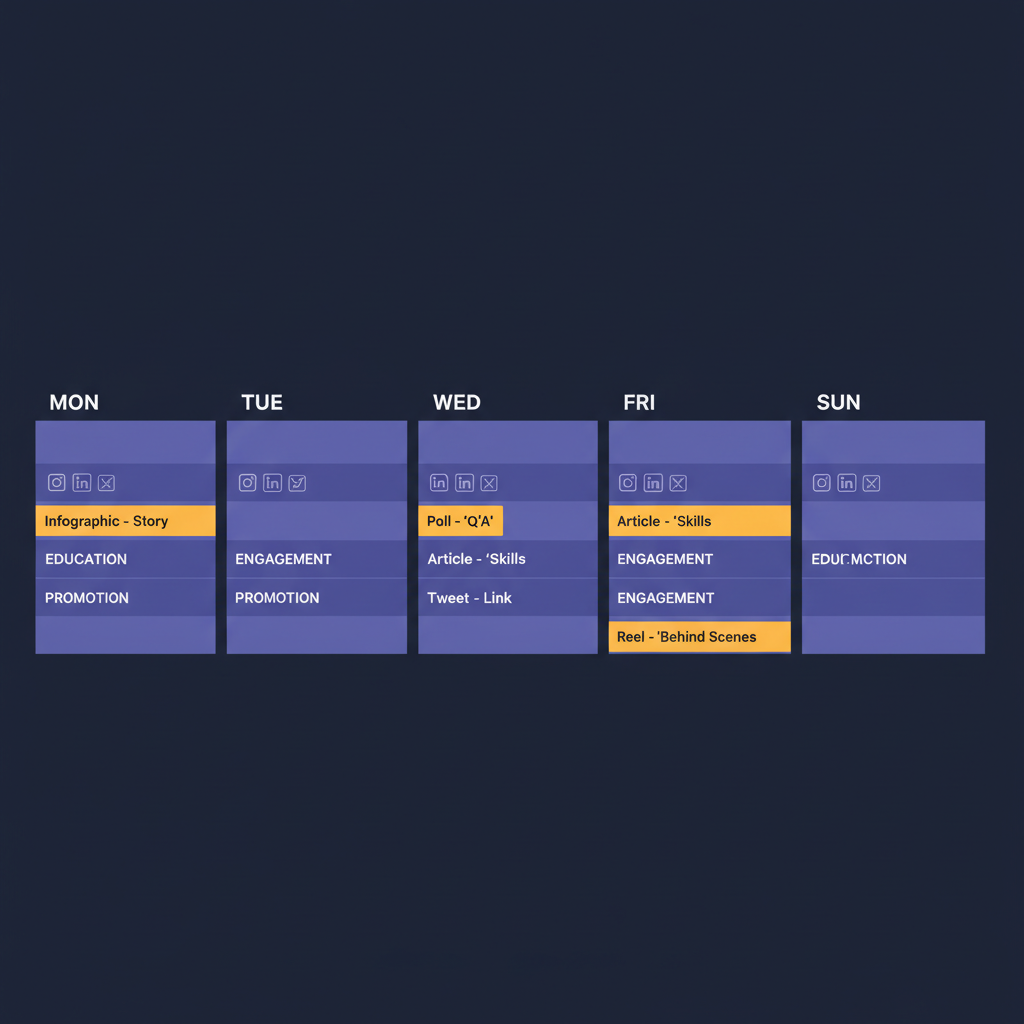
Most teams should standardize 8 workflows. If you lock these in, you remove 80% of your daily friction. Each workflow below includes a practical template you can copy into your own process.
The goal is simple: create once, schedule confidently, publish on time, and report without scrambling.
Workflow 1: Weekly content sprint with a single source of truth
This is the backbone workflow. It prevents “where is the latest version?” chaos.
Start with 2 to 3 hours once per week. Build the next 7 days in one sitting, then refine.
Template: Weekly sprint checklist
- Pick your 3 content pillars for the week
- Pillar A: Education
- Pillar B: Proof (case studies, testimonials)
- Pillar C: Promotion (product, offer, lead magnet)
- Assign post targets (real numbers)
- Instagram: 4 feed posts + 3 stories
- LinkedIn: 3 posts
- X: 10 short posts
- Set time blocks
- Monday 10:00 to 12:00: write captions and hooks
- Tuesday 13:00 to 15:00: design and edit assets
- Wednesday 11:00: schedule everything
- Define “done”
- Caption approved
- Asset approved
- Links checked
- Scheduled
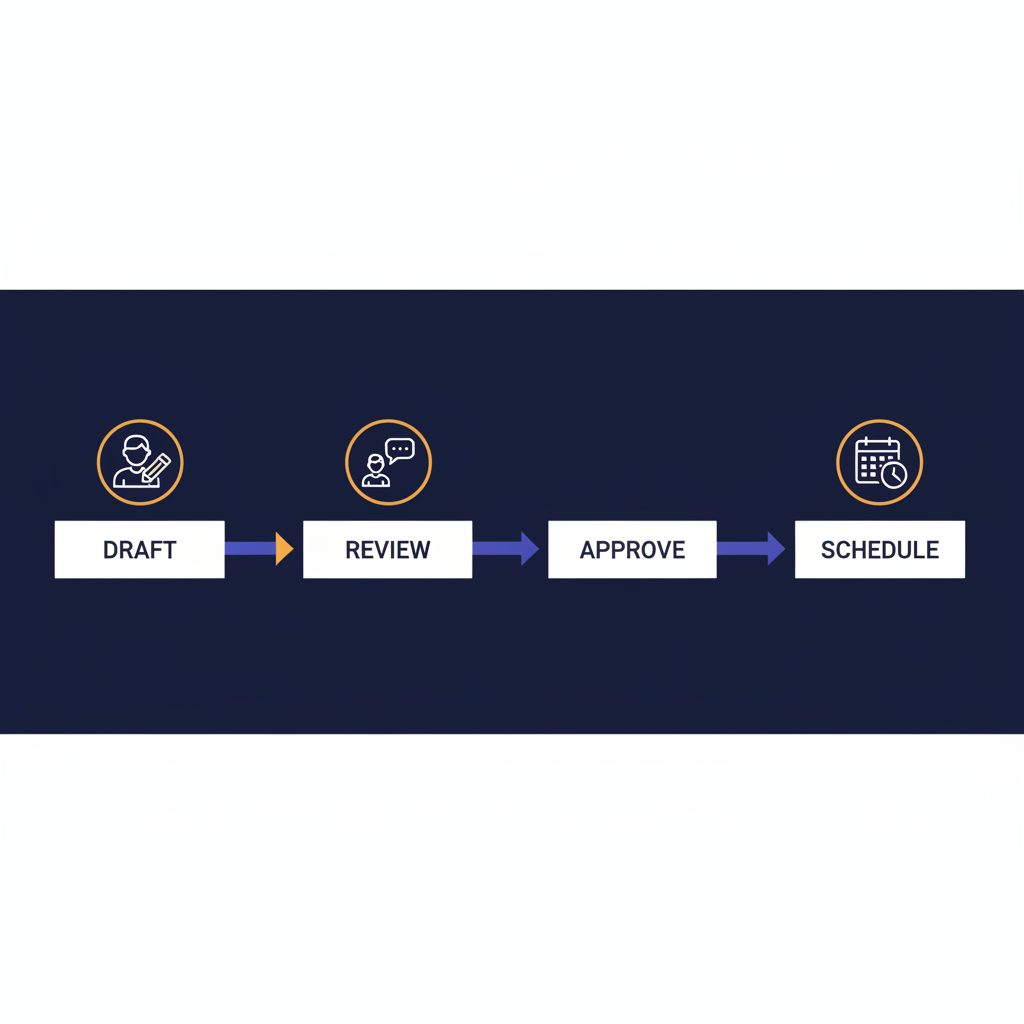
Workflow 2: Approval workflow for fast teams (draft, review, approve)
Approvals get messy when they are informal. A clean workflow saves hours per week.
This workflow is best for small teams that want speed without losing quality.
Template: Three stage approval rules
- Draft: creator writes caption, attaches asset, sets platform and publish time
- Review: reviewer checks brand voice, claims, links, compliance
- Approve: final check, lock changes, schedule
Quality gate checklist (10 items)
- Correct platform selected
- Correct aspect ratio
- CTA included
- Link works
- UTM parameters applied
- No banned words
- No outdated pricing
- No broken tags
- Proofreading completed
- Publish time matches campaign plan
Workflow 3: Multi account scheduling for Instagram and Facebook
If you manage more than one brand or more than one location, you need a repeatable pattern. The mistake teams make is treating each account as a separate process.
Instead, standardize a campaign pack and duplicate it across accounts.
Template: Multi account campaign pack
- Campaign name: Winter Promo Week 2
- Accounts:
- Instagram: @brand_main, @brand_local_1, @brand_local_2
- Facebook: Page main, Page local 1, Page local 2
- Content set:
- Post 1: Offer intro (image)
- Post 2: Proof (testimonial)
- Post 3: FAQ (carousel)
- Post 4: Reminder (short video)
Posting rules
- Stagger times by 30 to 90 minutes per account
- Rotate creative order to avoid identical sequences
- Keep one tracking spreadsheet for links and UTMs
Workflow 4: How to schedule LinkedIn posts for business without last minute edits
LinkedIn is sensitive to rushed posting. Small errors stand out.
LinkedIn Pages can schedule posts between one hour and three months in advance, but some post types cannot be scheduled. Plan your format early to avoid rework. LinkedIn scheduling limits.
Template: LinkedIn business post spec
- Hook (first line): 8 to 12 words
- Body: 3 to 5 short lines
- Proof: 1 stat or 1 example
- CTA: 1 clear action
- Asset: image or short video
- Comments plan: 2 seeded comments
Approval rule
- Final text must be approved 24 hours before publish time
Workflow 5: Schedule posts on X for campaigns and daily cadence
X is where consistency and timing matter. You can ship 5 to 15 short posts per day without heavy production, but only if your workflow is tight.
Template: X daily set (10 posts)
- Hook + lesson
- Short opinion
- Reply bait question
- Mini case study
- Screenshot proof
- Behind the scenes
- Product tip
- Myth vs truth
- Quote with take
- Weekly CTA
Scheduling rules
- 60% value posts
- 30% conversation posts
- 10% direct CTA
Workflow 6: Repurpose one hero asset into 6 platform specific posts
This is how small teams ship like big teams.
You start with one hero piece: a webinar, long video, blog post, or case study. Then you slice it into platform specific assets.
Template: Repurposing map
- Hero: 1 YouTube video
- Cutdowns:
- TikTok: 2 clips (20 to 35 seconds)
- Reels: 2 clips (15 to 30 seconds)
- LinkedIn: 1 post with insight + image
- X: 1 thread or 5 short posts
Naming rules
- Asset: 2026-01-hero-topic-clip-01.mp4
- Caption doc: 2026-01-hero-topic-captions
Workflow 7: Bulk scheduling month ahead without losing control
Month ahead scheduling sounds great until your calendar becomes a graveyard of old ideas. The fix is to bulk schedule the “evergreen core,” then leave room for reactive posts.
Template: 70 20 10 calendar
- 70% evergreen education
- 20% proof and case studies
- 10% reactive and trend content
Bulk scheduling checklist
- Create 20 evergreen posts
- Set publishing windows per platform
- Schedule in batches of 10
- Leave 3 open slots per week for reactive content
Workflow 8: Weekly reporting in 30 minutes
Reporting becomes painful when it is rebuilt from scratch every week.
Standardize the questions you answer. Keep the report short. Make it consistent.
Template: One page weekly social report
- Top 3 posts by engagement
- Top 3 posts by clicks
- Follower growth by platform
- Best performing theme
- Worst performing theme
- 3 actions for next week
Decision rule
- Every week, double down on one theme and cut one theme
How PostPlanify supports each workflow
Workflows fail when your tool makes them hard to repeat. You want a scheduler that reduces steps, keeps things visible, and makes team work clear.
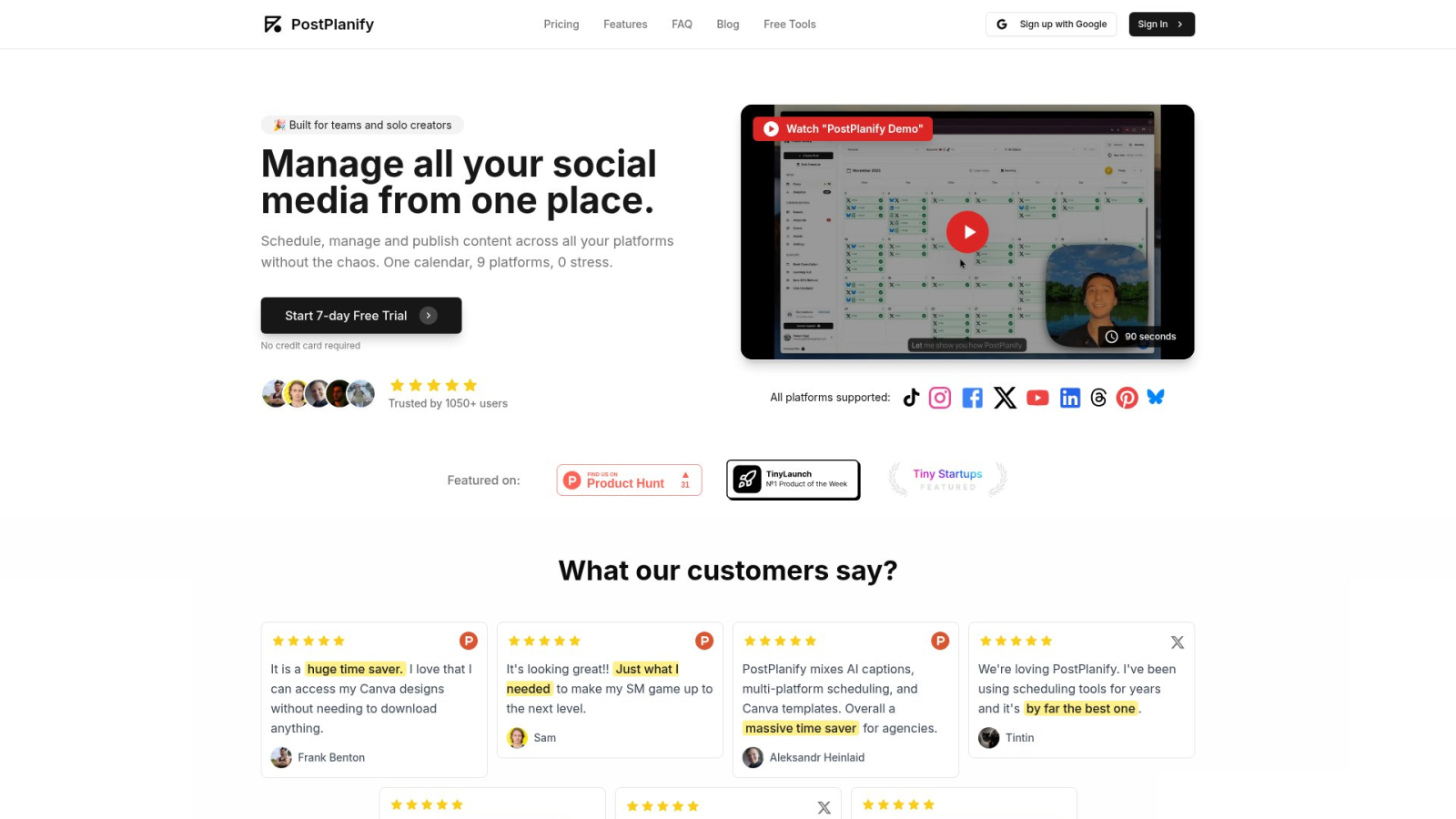
PostPlanify is built around a simple calendar that supports multiple platforms, including Instagram, X, Facebook, LinkedIn, YouTube, TikTok, Threads, Pinterest, and more. That platform list is shown on the PostPlanify homepage. Supported platforms.
Feature match by workflow
Below is how PostPlanify maps to the 8 workflows above. This section is the practical “why this works” bridge.
Weekly content sprint support
PostPlanify helps you run weekly sprints because you can plan everything on one calendar, then schedule content in batches. The result is fewer context switches during the week.
It also includes post previews, which reduces last minute fixes. Post previews are highlighted as a key feature on the product page. PostPlanify features.
Approvals and collaboration
If you are a team or agency, you need clear collaboration. PostPlanify includes team collaboration on the Premium plan and frames it for agencies and teams. PostPlanify plans.
That means you can keep content in a single place instead of bouncing drafts across tools.
Multi account scheduling
Multi account scheduling matters most for agencies. PostPlanify’s Premium plan includes unlimited connected social accounts and unlimited scheduled posts, which supports multi client setups. PostPlanify Premium.
How PostPlanify helps with LinkedIn business scheduling
LinkedIn has its own native scheduling rules and limitations for Pages. PostPlanify helps by keeping your LinkedIn drafts aligned with the rest of the campaign calendar so LinkedIn does not become a separate process.
You can still respect LinkedIn’s constraints by planning post types that can be scheduled, then slotting them into your campaign cadence. If you need Page admins to schedule natively, LinkedIn outlines the admin requirement clearly. LinkedIn Page scheduling.
How PostPlanify supports X scheduling
X is a volume platform for many marketers. PostPlanify supports X as a connected platform and keeps X posts in the same calendar as everything else, so your campaign narrative stays consistent. PostPlanify supported platforms.
Bulk scheduling and asset workflows
Bulk scheduling is a major time saver for agencies and teams. PostPlanify lists bulk scheduling as a Premium plan feature. PostPlanify pricing and features.
It also supports Canva and Google Drive integration, which reduces “download, upload, rename” loops. Those integrations are called out on the homepage feature list. Canva and Google Drive integration.
Analytics and iteration
Marketers need analytics that help them decide what to post next, not just what happened.
PostPlanify includes analytics on the Premium plan, which is the typical path for teams that report weekly and iterate. PostPlanify Premium analytics.
Migration notes for teams switching from clunky tools
If you are moving from a tool that feels heavy, the risk is downtime. Your migration should protect three things:
- Your posting cadence
- Your access permissions
- Your content library
A safe migration plan looks like this:
- Keep your old tool running for 7 days
- Start scheduling new posts in PostPlanify only
- Move templates, hashtags, and caption docs
- Confirm publishing on each platform
- Turn off the old tool once you have a full week shipped
Because PostPlanify offers a 7 day free trial with no credit card required, you can run that parallel week without committing. PostPlanify free trial.
Why PostPlanify stands out
Most schedulers promise “all in one.” In practice, they often add friction with bloated dashboards and pricing that climbs fast.
PostPlanify stands out by focusing on speed, simplicity, and creator friendly execution. It positions itself directly against tools that cost $100 or more per month, and it keeps plans in a clearer $29 to $69 per month range depending on what you need. PostPlanify homepage comparison and pricing.
Here is what that means for a working social media marketer.
A calendar that does not fight you
If you dread opening your scheduler, your process will always break down.
PostPlanify is built around a clean interface that makes it obvious what is scheduled, what needs work, and what is coming next. That reduces “calendar anxiety” and makes batching feel easy again.
Creator friendly speed plus team level power
Solo creators get fast scheduling, previews, and caption help.
Teams get collaboration, bulk scheduling, and analytics on the Premium plan. That means you can start lean, then upgrade when the workload grows. PostPlanify plans.
Platform previews and caption writing help
Two common time sinks are last minute formatting fixes and rewriting captions for each platform.
PostPlanify includes post previews and an AI writing assistant as listed features. That helps you ship faster while keeping quality. PostPlanify features.
Built for high volume without feeling heavy
If you are managing high volume, the tool must stay responsive.
PostPlanify shares a story about supporting a workload of 95 posts per day for a user, which signals a focus on real world scaling. PostPlanify customer story on homepage.
Downloadable templates and next steps
If you want immediate wins, do not start by changing everything. Start by standardizing templates. Templates are what turn a good marketer into a consistent marketer.
Below are the exact copy friendly templates you can paste into a doc, a Notion page, or your internal wiki.
Downloadable templates you can copy today
1) Weekly planning template
- Goal for the week:
- 3 content pillars:
- Campaigns and promos:
- Platforms in scope:
- Posting cadence:
- Owner:
- Reviewer:
- Report due date:
2) Post brief template
- Platform:
- Post type:
- Objective:
- Target audience:
- Hook:
- Key points:
- CTA:
- Asset notes:
- Link + UTM:
- Approval deadline:
3) Approval checklist template
- Brand voice matches
- Claims checked
- Legal and compliance checked
- Link tested
- Spelling checked
- Hashtags checked
- Tags checked
- Preview checked
- Publish time checked
4) Campaign calendar template
- Campaign name:
- Dates:
- Offer:
- Assets needed:
- Landing page:
- Platforms:
- Posting plan:
- Metrics to track:
Next steps to implement in under 60 minutes
- Pick one workflow to fix first
- If approvals are slow, start with the approval workflow.
- If posting is inconsistent, start with the weekly sprint.
- If you manage many accounts, start with the multi account campaign pack.
-
Set up your calendar
Start your next 7 days with one calendar so you stop juggling drafts across tools. -
Run a real test week in PostPlanify
Use the 7 day free trial to schedule a full week across your platforms, confirm publishing, and adjust your templates to match your team. PostPlanify.
Key takeaways
- Winning as a social media marketer is mostly workflow: speed, approvals, and reliability.
- Standardize 8 workflows so your team can ship consistently.
- PostPlanify supports multi platform scheduling, previews, bulk scheduling, analytics, and team collaboration in a simple calendar. PostPlanify.
- Use a one week trial run to migrate without downtime.
FAQs
How do I schedule LinkedIn posts for business?
Use a LinkedIn Page admin view to schedule posts 1 hour to 3 months ahead, then align them in your campaign calendar. LinkedIn help
Can I schedule multiple accounts Instagram and Facebook posts together?
Yes. Use a campaign pack, duplicate creative, stagger times, and keep one link and UTM tracking sheet for every account.
What is the safest way to schedule posts on X daily?
Batch 10 posts, mix value and conversation, schedule at fixed time windows, and leave space for reactive replies.
Do I need a team tool if I am solo?
If you post 4+ times per week, a single calendar and batching cuts busywork. It also prevents missed posts on travel days.
What should I test during a 7 day free trial?
Test real publishing across your top platforms, bulk scheduling speed, preview accuracy, and how fast you can go from idea to scheduled.
Leave a Reply